AI-Powered Video Creation

AI Transformation Video Prompt Mastery Guide

Complete prompt templates to create viral AI "object-to-miniature" transformation videos — Start Image, End Image & Video Prompt, fully explained.

3 Prompt System
10s Video Length
∞ Variations

What You'll Learn

This guide gives you a complete, ready-to-use prompt system for one of the most popular AI video formats right now — the "mechanical object transformation" video.

In this style, a mysterious compact mechanical object is placed on a table, a button is pressed, and it mechanically unfolds itself into a museum-grade miniature replica of a famous car, watch, monument, aircraft, or any object you choose.

This format performs extremely well on Instagram Reels, YouTube Shorts, and TikTok because it is oddly satisfying, visually surprising, and works for literally any subject — supercars, monuments, luxury watches, robots, aircraft, and more.

3-Part Prompt System

Start Image, End Image, and Video Prompt — the exact templates you need.

Placeholder Guide

Generate infinite variations by swapping out simple placeholders.

Filled-In Example

See exactly how to use it with a Kedarnath Temple walkthrough.

Pro Tips

Get the best, most realistic results with expert best practices.

Unlock the Secrets to Viral AI Videos

Stop guessing and start creating. Our masterclass gives you the exact blueprint used to create millions of views.

Skyrocket Your Views

Learn the exact "Object-to-Miniature" trend that is currently dominating Instagram and YouTube algorithms.

No Experience Needed

You don't need to be a VFX artist or a video editor. The AI does all the heavy lifting using our copy-paste templates.

1-Click Copy System

Get instant access to our private web app with 1-click copy buttons for every master prompt.

Dual Language Support

Read and learn the entire masterclass seamlessly in both English and Hindi with a single click.

See The Real Results

The exact blueprint in this masterclass powers our official Instagram account. We don't just teach it; we live it.

@transform_vault

Don't just take our word for it. Our prompt structures have generated multiple viral hits.

60M+
Views
20M+
Views
10M+
Views
5M+
Views
Verify on Instagram

How This 3-Part Prompt System Works

01

Start Image Prompt

Generates the "before" photo: a mysterious abstract mechanical object being held by a hand, giving no obvious hint of what it will become.

Before Shot Mechanical Object
02

End Image Prompt

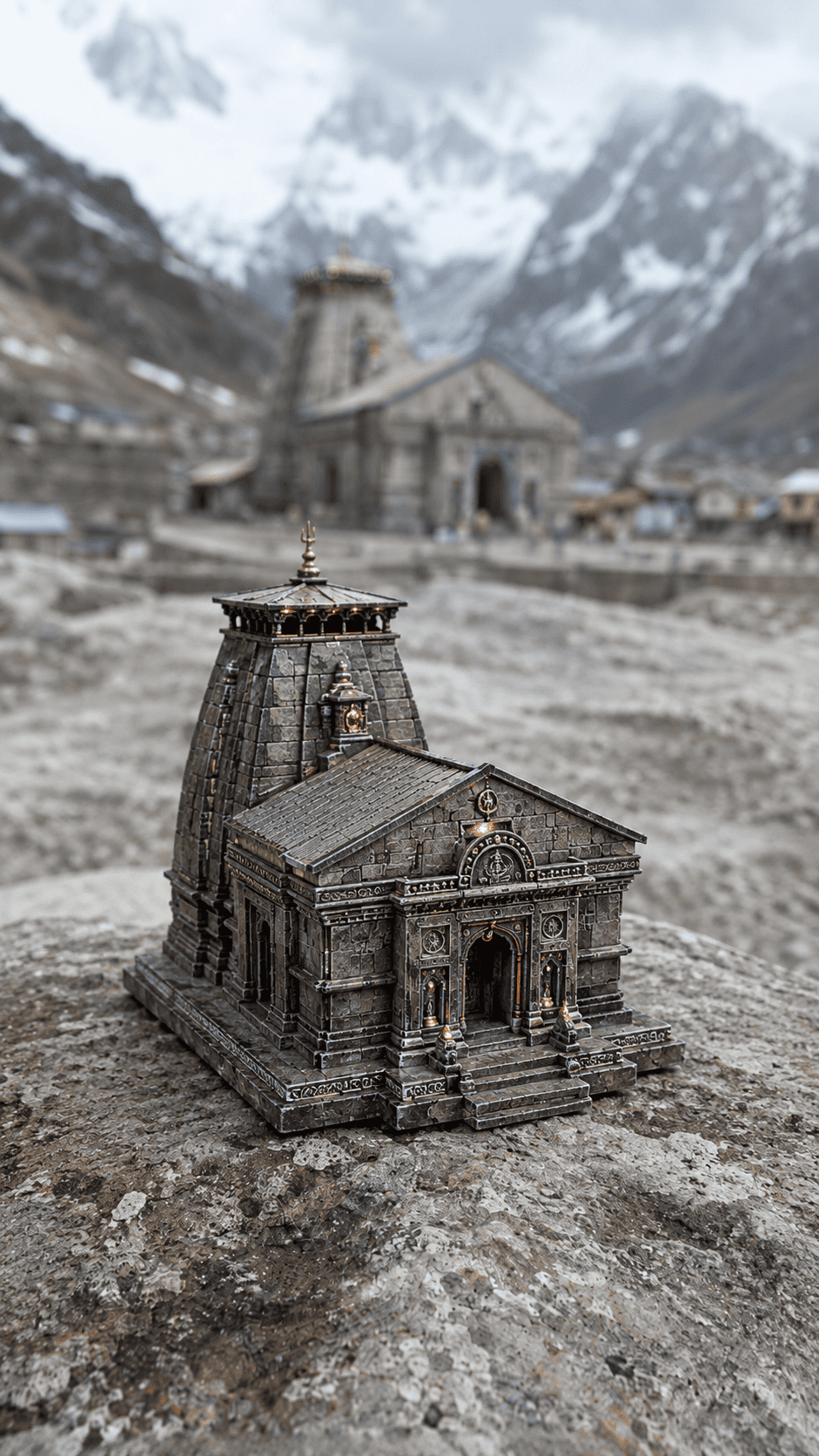
Generates the "after" photo: the finished museum-grade miniature replica sitting on the same tabletop, same lighting, same camera angle.

After Shot Miniature Replica

Placeholder Guide

Every prompt uses the same four placeholders. Replace them with details about your chosen subject before pasting the prompt into ChatGPT.

Placeholder Meaning Example
[BLANK_SUBJECT_NAME] The final item's name Kedarnath Temple, Taj Mahal, Ayodhya Ram Mandir, Statue of Unity
[SUBJECT_CATEGORY] Type of object Ancient temple, sacred monument, historical architecture, marble structure
[AUTHENTIC_COLORS] Real colors of the final subject Weathered grey stone, sacred gold accents, snow-covered roofs, yellow sandstone
[TABLETOP_STYLE] Environment tabletop setting Ancient stone altar, polished marble slab, wooden devotee desk, snow-dusted rock
[KEY_DETAILS] Important recognizable details Stone pillars, temple dome, entrance arch, Nandi bull statue, prayer flags, carvings

Full Prompt Templates

Copy each prompt, replace the placeholders with your subject details, and paste into ChatGPT for image/video generation.

Prompt 1

Start Image — "Before" Shot

Use this prompt to generate the mysterious mechanical starting object. This is the "before" image — the compact device that will transform later.

START IMAGE PROMPT
Create a photorealistic starting image of a compact abstract mechanical object held by realistic human hands... [REST OF PROMPT LOCKED]
Master Prompt Locked
Purchase the full course to unlock the exact 3-step prompt formula, tool lists, and viral tips.
Prompt 2

End Image — "After" Shot

Use this prompt to generate the "after" shot — the finished miniature replica. Keep it in the same AI tool/session as the Start Image for maximum consistency.

END IMAGE PROMPT
Create a museum-grade collectible miniature replica of [BLANK_SUBJECT_NAME] resting naturally... [REST OF PROMPT LOCKED]
Master Prompt Locked
Purchase the full course to unlock the exact 3-step prompt formula, tool lists, and viral tips.

Filled-In Example — Kedarnath Temple

Here's how the placeholders look once filled in for a highly viral temple subject.

Kedarnath Temple — Placeholder Values

BLANK_SUBJECT_NAME Kedarnath Temple
SUBJECT_CATEGORY Ancient Hindu Temple
AUTHENTIC_COLORS Weathered grey stone, snow-capped roof, yellow flags
TABLETOP_STYLE Ancient stone altar with snow dust
KEY_DETAILS Stone pillars, temple dome, entrance arch, Nandi bull statue at the front, Himalayan background
Start Image Start Image Result
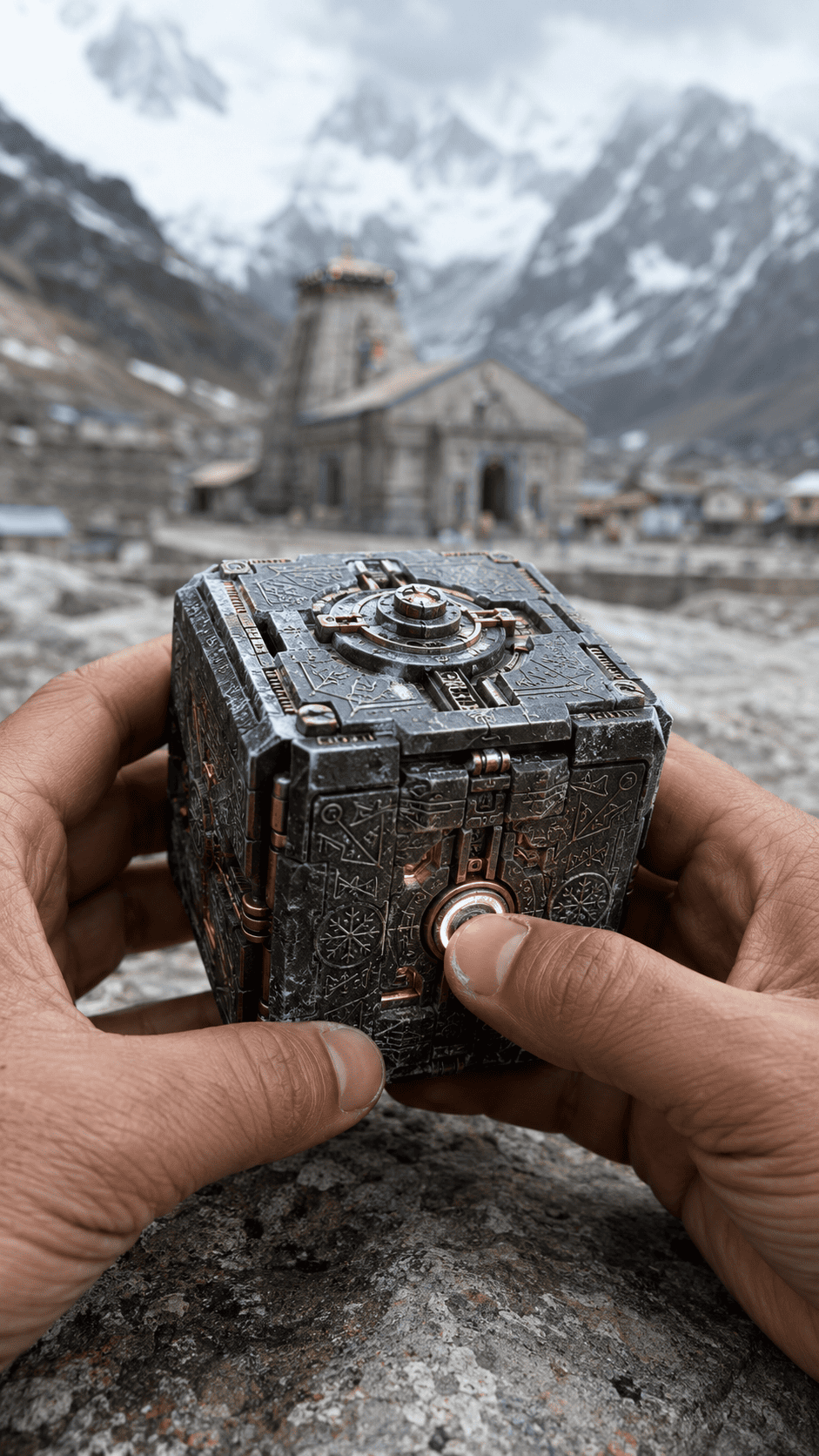
End Image End Image Result

Simply find-and-replace every instance of each placeholder in all three prompts with these values using ChatGPT, then paste each prompt into your chosen AI tool in order: Start Image → End Image → Video Prompt.

Tips for Viral Instagram Reels

How to maximize reach and engagement when posting your transformation videos.

Lighting & Setting Setup

This is the secret sauce for making it look realistic...

Viral Tips Locked

Before You Purchase — Please Read

Important Notice

This course teaches you how to use advanced AI tools. A Google AI Pro Plan (or equivalent premium AI generator) is highly recommended for some of the advanced video generation lessons.

★ The AI subscription is NOT included with this course.